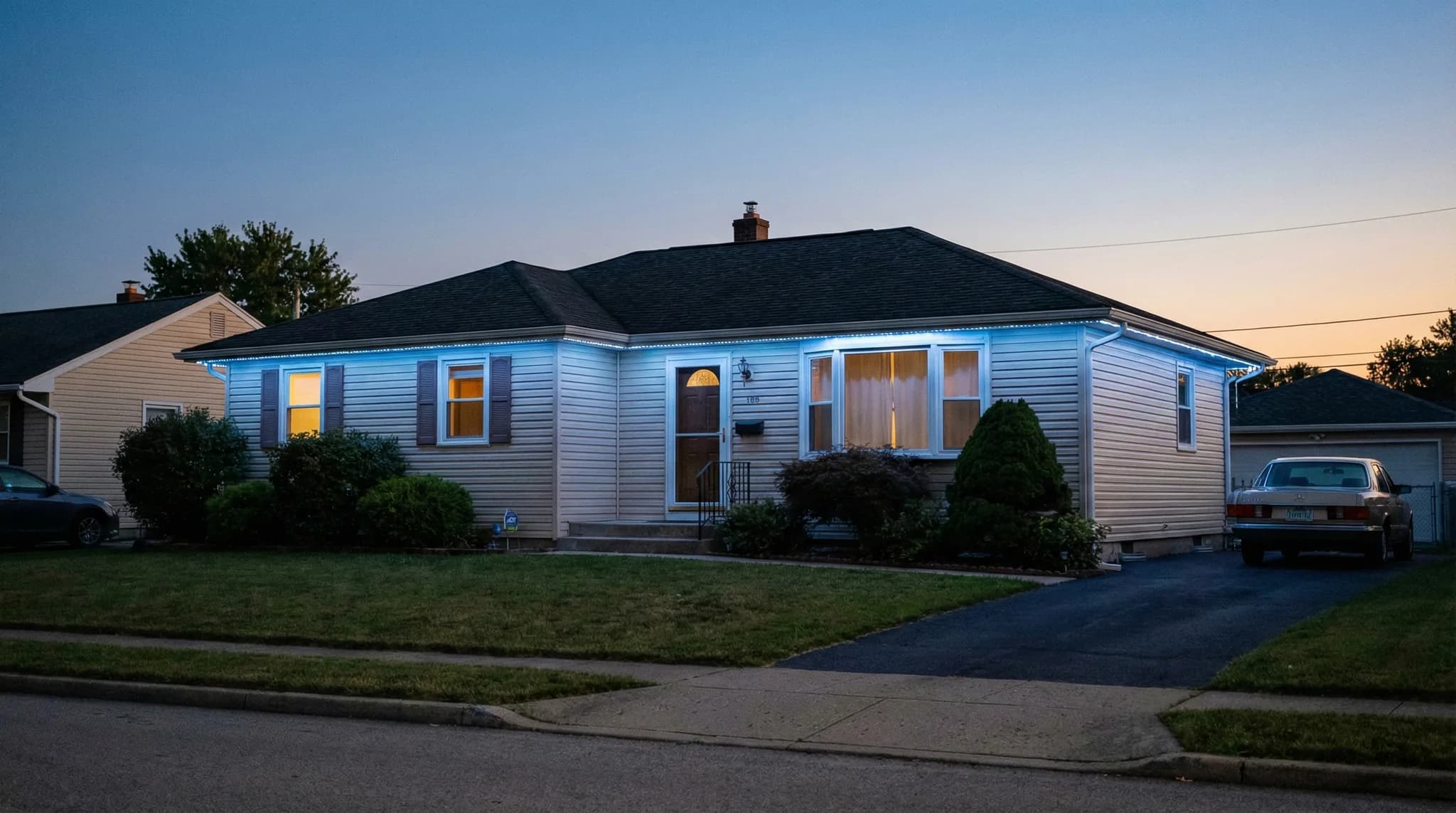
Here is how to schedule permanent outdoor lights for the entire year in Sacramento: open your manufacturer's app, create one static sunset-to-midnight daily schedule as your base, then layer date-based holiday scenes on top so Halloween, Thanksgiving, Christmas, Valentine's Day, Kings game nights, and 4th of July activate automatically on the calendar days you set. Done correctly, the entire year runs hands-off – you build it once in about an hour and the system handles everything for the next twelve months. This playbook walks you through the exact schedule Sacramento homeowners use, by month, with the app settings that make it work.
TL;DR: A year-round lighting schedule for Sacramento homes uses three layers: a daily base schedule (sunset to 10–11 PM, warm white), date-based seasonal scenes (Halloween through New Year's Eve), and one-tap event scenes (game days, birthdays, parties). Every major permanent lighting platform – Jellyfish, Gemstone, Oelo, EverLights, Trimlight – supports all three layers through the app. Build it in one sitting, then forget about it.
If you're earlier in the buying process, start with our guide to smart permanent outdoor lights and app control or see how much permanent outdoor lights cost in Sacramento to understand what you're working with before scheduling.
Why a Year-Round Schedule Matters More Than You Think
The #1 reason Sacramento homeowners are disappointed with permanent outdoor lights has nothing to do with the hardware. It's that they never set up real scheduling. They leave the system on "manual," tap the app occasionally, and end up using it like a novelty – when the whole point is automation.
A proper year-round schedule turns a $4,000–$8,000 installation into a set-it-and-forget-it asset. The lights come on at the right time, switch to the right scene for the season, dim at neighbor-friendly hours, and shut off before bed – without you thinking about it.
Sacramento's sunset times swing by nearly two and a half hours between the summer and winter solstices. In late June, sunset is around 8:30 PM. In late December, it's before 5:00 PM. A fixed 6:00 PM on-time wastes energy in summer and leaves your home dark in winter. A proper astronomical (sunset-based) schedule fixes that automatically, every single day, for free.
What "year-round scheduling" actually includes
- Daily on/off schedule: Based on sunset time, not a fixed clock time
- Daily dimming: Automatic brightness reduction at a neighbor-friendly hour (usually 10:00 PM)
- Seasonal scenes: Date-based scenes for every holiday and season
- Event scenes: One-tap scenes for game days, parties, birthdays
- Vacation mode: A schedule that looks like someone is home
- Off-season defaults: A clean default that runs everyday weeks with no holiday
How to Schedule Permanent Outdoor Lights: The Three-Layer System
Every successful year-round schedule uses three layers stacked together. Most people only build layer one and wonder why the system feels underused. Here is the full stack.
Layer 1: The daily base schedule (runs every night)
This is your default. It runs 365 nights per year unless a holiday or event scene overrides it. For Sacramento homes, a sensible base schedule looks like this:
- On: Sunset (astronomical, auto-adjusting)
- Scene: Warm white, 2700K–3000K, 70–80% brightness
- Dim to: 30–40% brightness at 10:00 PM
- Off: 11:00 PM or 11:30 PM
The dim-at-10 step matters for HOA neighborhoods and anyone who wants curb appeal without lighting up the block all night. For deeper context on bulb color, see our guide to warm vs cool white color temperature for permanent outdoor lights.
Layer 2: Date-based seasonal scenes (runs on calendar days)
These are the holiday and seasonal scenes your app activates automatically on specific dates. You build them once. They run every year, every date, forever – until you edit them.
Every major permanent lighting platform – Jellyfish, Gemstone, Oelo, EverLights, Trimlight – supports date-based scheduling. The terminology differs ("events," "scheduled scenes," "calendar," "auto-scenes") but the function is the same.
Layer 3: Manual event scenes (one-tap, no schedule)
These are pre-saved scenes you activate manually from the app when something happens. Kings playoff game. Surprise birthday dinner. Daughter's dance recital. You tap the scene, it plays, and when it's over the system reverts to your base schedule.
Pro Tip: Name your scenes so you can find them fast. "Game Day Kings," "Date Night," "Garage Security," "Party Bright" – not "Scene 7." You will use the app for the first six months, then occasionally for years. Good naming future-proofs your setup.
The Sacramento Year-Round Lighting Schedule (Month by Month)
This is the default playbook we recommend to Sacramento, Roseville, and Rocklin homeowners when they first set up their system. Treat it as a starting template – adjust dates and colors to your preferences.
January
- Jan 1–6: Extend Christmas scene through the Orthodox Christmas window (optional)
- Jan 7–31: Revert to warm white base schedule
- Jan 15 (MLK Day): Optional red, black, green scene
February
- Feb 1–13: Warm white base
- Feb 14 (Valentine's Day): Pink and red static or slow-fade
- Feb 15–28: Warm white base
March
- Mar 17 (St. Patrick's Day): Green scene
- Rest of March: Warm white base
April
- Early April (Easter): Pastel scene – soft pink, lavender, mint, yellow
- Rest of April: Warm white base
May
- May 5 (Cinco de Mayo): Green, white, red
- Last Monday (Memorial Day): Red, white, blue
- Rest of May: Warm white base
June
- Jun 1–30 (Pride Month, optional): Rainbow scene on weekends
- Jun 14 (Flag Day): Red, white, blue
- Rest of June: Warm white base
July
- Jul 1–7 (4th of July week): Red, white, blue static or patriotic chase
- Jul 8–31: Warm white base
August
- All month: Warm white base – Sacramento's long sunsets (around 8:10 PM) mean the lights come on late anyway
September
- First Monday (Labor Day): Red, white, blue
- Mid-September: Transition to fall amber or orange accents
- Sep 15–Oct 31: Harvest scene – amber, orange, warm accents
October
- Oct 1–30: Harvest scene continues
- Oct 25–Nov 1 (Halloween week): Orange and purple, slow fade
- Oct 31 (Halloween night): Spooky pattern – green and purple strobe (only until 10 PM)
November
- Nov 1–23: Harvest scene (amber, orange, deep red)
- Nov 24–29 (Thanksgiving week): Thanksgiving scene – warm orange, gold, amber
- Nov 29 (day after Thanksgiving): Christmas scene activates – red and green
December
- Dec 1–25: Christmas scene (red and green, or rotating rainbow, or multicolor twinkle)
- Dec 26–30: Winter white or ice blue scene
- Dec 31 (New Year's Eve): Celebration scene – color-change party mode until midnight, then revert
That's the whole year. Build it once, set the dates, and the system runs itself. For specific Christmas scene ideas, see our deeper holiday lighting scenes and patterns playbook.
Why Sacramento Sunsets Change Everything About Your Schedule
Sacramento (latitude 38.58° N) has one of the wider sunset swings in California. Knowing the range matters because a fixed on-time wastes energy or leaves your home dark depending on the season.
Sacramento sunset times by month (approximate)
- January: 5:00–5:40 PM
- February: 5:40–6:15 PM
- March: 6:20–7:15 PM (after DST)
- April: 7:15–7:45 PM
- May: 7:45–8:15 PM
- June: 8:15–8:35 PM
- July: 8:10–8:35 PM
- August: 7:40–8:15 PM
- September: 7:00–7:40 PM
- October: 6:15–7:00 PM
- November: 5:00–5:15 PM (after DST)
- December: 4:45–5:00 PM
That's a nearly 3.5-hour difference between summer peak and winter minimum. Using your app's "sunset" trigger (sometimes called "dusk" or "astronomical clock") lets the system auto-adjust day by day. You never touch it.
Pro Tip: Set your on-trigger to "Sunset +5 minutes" or "Sunset +10 minutes" rather than exactly at sunset. Ambient light lingers for 15–20 minutes after the sun drops, so a small delay makes the lights look intentional rather than premature.
Daily Schedule Template: What Time to Use for Each Month
Imagine a simple table with four columns: Month, On Time (sunset-based), Dim Time, Off Time. Here's what that table looks like for a typical Sacramento schedule:
- Jan–Feb: On at sunset (~5:15 PM) / Dim 10:00 PM / Off 11:00 PM
- Mar–Apr: On at sunset (~7:00 PM) / Dim 10:00 PM / Off 11:00 PM
- May–Jul: On at sunset (~8:15 PM) / Dim 10:30 PM / Off 11:30 PM
- Aug–Sep: On at sunset (~7:45 PM) / Dim 10:00 PM / Off 11:00 PM
- Oct–Dec: On at sunset (~5:30 PM) / Dim 9:30 PM / Off 10:30 PM
If your app supports one global sunset schedule (most do), you don't have to rebuild it monthly – it shifts automatically. The table above is for homeowners who like to manually tighten summer hours to save energy.
Permanent Outdoor Lights App Automation: The Settings That Matter
Permanent outdoor lights app automation relies on six core settings inside every major platform. Understand these six and you can replicate any schedule on any brand.
- Trigger type: Fixed time, sunset, sunrise, or a date range
- Scene selection: Which saved scene plays when the trigger fires
- Brightness override: Scene-specific brightness (Halloween often dimmer than Christmas)
- Animation speed: Static, slow, medium, fast – affects energy use minimally but affects mood significantly
- Priority/stack order: What happens when two schedules overlap (holiday scenes override base)
- Auto-off condition: Fixed time vs. "X hours after sunset"
If your platform gives you these six controls, you can replicate the Sacramento year-round schedule exactly. For deeper voice-control integration, see our Alexa, Google Home, and smart control integration guide.
Want a year-round schedule set up at install — no guesswork?
Every EXT Lighting install includes a full app walkthrough where we build your first year of scenes before we leave. Get a free quote for your home.
Common Scheduling Mistakes Sacramento Homeowners Make
1. Leaving the system on "manual"
The single biggest mistake. Without a schedule, you have to open the app every night. Within a month you stop bothering, and the $4,000 system sits dark.
2. Using fixed on/off times instead of sunset-based
A 6:00 PM on-time means lights come on 3 hours before sunset in June (wasteful, looks silly) and an hour after dark in December (missed window). Sunset triggers fix both.
3. Not dimming after 10 PM
Sacramento has strong HOA culture, especially in Roseville, Rocklin, Folsom, and El Dorado Hills. Dimming to 30–40% at 10:00 PM eliminates 95% of potential complaints. For HOA specifics, see our permanent outdoor lights and HOA rules guide.
4. Scheduling only Christmas
If you only build a Christmas scene, you're using 1/12th of the system. The whole value proposition is the 11 other months. Build at least 6–8 seasonal scenes.
5. Forgetting to rebuild after a controller replacement
If your controller is ever replaced under warranty, check that all schedules transferred. Most platforms sync scenes to the cloud, but a few require re-download. Screenshot your schedule list before any service visit.
6. Stacking too many conflicting scenes
If you set Valentine's Day to run Feb 10–15 and Winter White to run Feb 1–28, you need to understand which one wins. Most apps prioritize the more specific (shorter) date range – but verify in your platform before building 30+ scenes.
Vacation and Security Scheduling
One of the underused features of permanent outdoor lights is vacation mode – a schedule that makes your home look occupied even when you're on a trip. A good vacation schedule does three things:
- Randomizes the off-time: One night 10:45 PM, next night 11:20 PM, next 10:55 PM
- Keeps warm white consistent: No party scenes, no color rotation – looks like someone is home
- Runs longer than usual: Off at 11:30 PM instead of 10:30 PM
For more on the security angle, see our analysis of whether outdoor lights deter crime in Sacramento.
Not sure if your current system supports date-based scheduling? EXT Lighting customers in Sacramento, Roseville, Rocklin, Folsom, and El Dorado Hills get a full app walkthrough at install – we sit with you and build your first year of scenes before we leave.
Sacramento-Specific Event Scenes to Pre-Build
Beyond seasonal schedules, Sacramento homeowners tend to save the same handful of event scenes. Pre-build these during your initial setup:
- Kings Game Night: Purple and black, static or slow-fade
- 49ers Game Day: Red and gold
- Giants Game: Orange and black
- Warriors Game: Blue and yellow
- Sacramento Republic FC: Red and white
- Birthday Party: Color-rotating, medium animation
- Date Night: Warm amber, low brightness
- Security Max: All-white, 100% brightness, no dim
For the full breakdown on team-color scenes, see our Sacramento game day team colors guide.
Does Scheduling Save Energy in Sacramento?
Yes – meaningfully. A typical Sacramento permanent outdoor lighting system uses about $3 to $8 per month at SMUD rates when run 4–5 hours per night. Smart scheduling with an auto-dim step cuts that by roughly 20–30% by reducing full-brightness hours to just the "prime time" window (sunset to 10 PM) and running dim for the remainder.
Compared to leaving the system on manual from 6:00 PM to midnight year-round at full brightness, a proper schedule can save 30–50% on the lighting load. The dollar savings are modest, but the main win is the system running correctly without you managing it.
How to Build Your First Year-Round Schedule (One-Hour Setup)
Here's the exact process we walk new EXT Lighting customers through at install. Allocate one hour. You won't have to touch the app for months afterward.
- Open the app and confirm location is set to Sacramento. This enables sunset-based triggers.
- Build the base scene. Warm white (2700K–3000K equivalent), 75% brightness, no animation. Save as "Everyday Warm White."
- Build the dimmed base scene. Same warm white, 35% brightness. Save as "Everyday Dim."
- Create the daily schedule: On at sunset → Everyday Warm White. At 10:00 PM → Everyday Dim. At 11:00 PM → Off.
- Build 8–12 holiday scenes: Valentine's, St. Patrick's, Easter, Memorial Day, 4th of July, Labor Day, Harvest, Halloween, Thanksgiving, Christmas, Winter White, New Year's.
- Assign date ranges to each holiday scene using the table of dates in this article.
- Build 5–8 event scenes: Kings, 49ers, Date Night, Birthday, Security Max, Vacation Mode.
- Test the next sunset: Watch the lights come on automatically. Confirm the 10 PM dim step fires. Confirm the 11 PM off time fires.
That's it. You're done for roughly a year. Set a calendar reminder for early November to review and tweak before the holiday season hits.
Getting Help With Your Sacramento Schedule
If your system was installed before you understood scheduling, it's never too late. Every permanent lighting platform supports rebuilding schedules from scratch without touching the hardware. A 30-minute session with your installer – or an hour on your own with this playbook – is all it takes.
EXT Lighting offers a free schedule review for any permanent outdoor lighting customer in Sacramento, Roseville, Rocklin, Folsom, and El Dorado Hills. We sit with you, audit your scenes, fix any stale schedules, and build out the year. For new customers, a schedule walkthrough is included with every install. If you're still deciding, start with the best time to install permanent outdoor lights in Sacramento.
Frequently Asked Questions About Scheduling Permanent Outdoor Lights
How do I schedule permanent outdoor lights to turn on automatically at sunset?
Open your lighting app, create a new daily schedule, and set the trigger to "Sunset" (sometimes labeled "Dusk" or "Astronomical"). Confirm your location is set to Sacramento so the app uses local sunset times – which range from roughly 4:45 PM in December to 8:35 PM in June. Add a small +5 or +10 minute offset so the lights come on after civil twilight rather than before full darkness.
Can permanent outdoor lights change scenes automatically on holidays?
Yes. Every major permanent outdoor lights app (Jellyfish, Gemstone, Oelo, EverLights, Trimlight) supports date-based scene scheduling. You build a scene once, assign it a date range (example: Oct 25–Nov 1 for Halloween), and it activates automatically on the start date every year.
How many scenes should I schedule for a Sacramento permanent lighting system?
Most Sacramento homeowners end up with 15–25 saved scenes – roughly 8–12 seasonal scenes on automatic schedules plus 5–8 event scenes activated manually. There is no limit on how many scenes you can store, so build more than you think you need.
Will scheduling save on my SMUD electric bill?
Yes, modestly. A proper sunset-based schedule with a 10 PM dim step typically cuts lighting energy use by 20–30% compared to running full brightness from 6 PM to midnight year-round. On a Sacramento permanent outdoor lighting system that costs $3–$8 per month at SMUD rates, that's $1–$3 per month in savings – meaningful over the life of the system, but the main benefit is automation, not dollars.
What happens to my schedule during daylight saving time?
If you use sunset-based triggers, nothing – the app tracks local sunset automatically and shifts with the time change. If you use fixed clock-time triggers (6:00 PM, for example), you may need to manually adjust in March and November. This is the main reason we recommend sunset-based scheduling for Sacramento homes.
Can I schedule different zones of my home separately?
Yes. If your installer set up zones (front roofline, back patio, garage, accent lights), each zone can have its own independent schedule. Common Sacramento setup: front roofline on the full Christmas scene, back patio on warm white only, garage on motion-triggered security white.
Do I need an internet connection for scheduling to work?
The controller stores your schedules locally, so most systems continue running scheduled scenes even if Wi-Fi drops. You need internet only for app changes, cloud backup, and voice control. Sacramento homeowners with brief internet outages do not see their lighting schedule fail – only scene edits require connectivity.