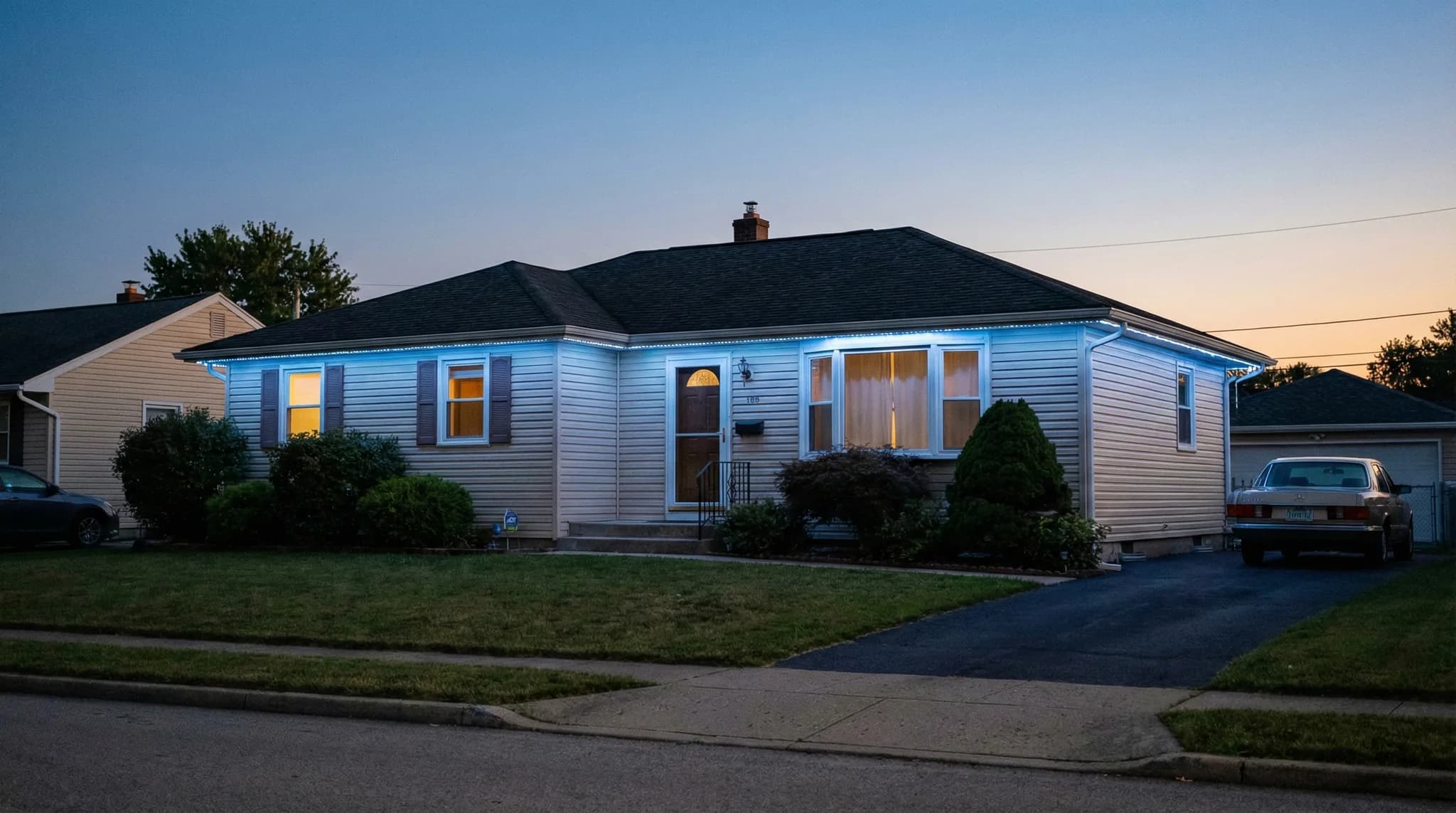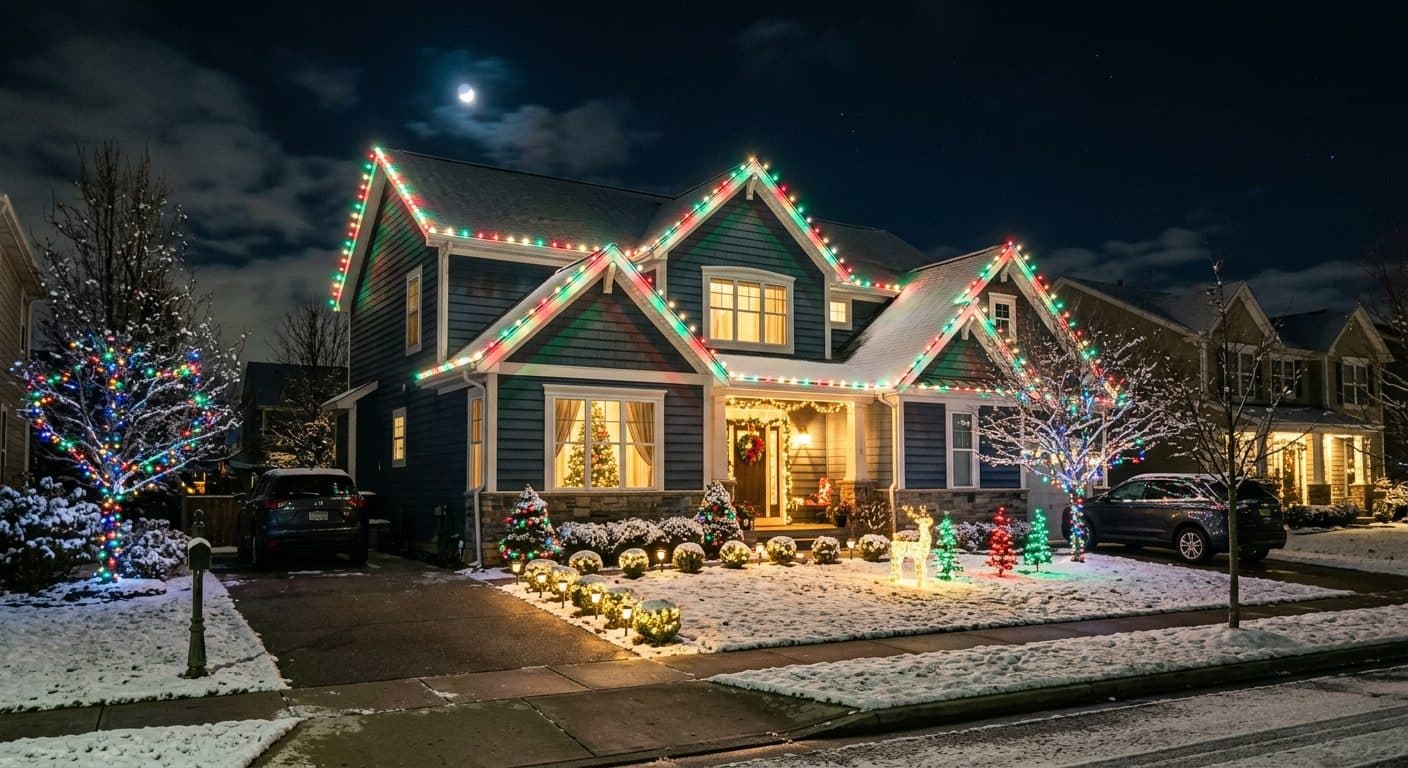
Permanent outdoor lights let Sacramento homeowners switch between holiday scenes – from classic Christmas red and green to Halloween orange and purple – without touching a ladder.
Permanent outdoor lights holiday patterns turn a single roofline installation into a year-round seasonal display controlled entirely from your phone. Instead of climbing a ladder in November and pulling everything down in January, Sacramento homeowners with permanent LED systems tap through holiday scenes the way you scroll through a playlist – one for Christmas, one for Halloween, one for the 4th of July, and warm white for every other night.
According to the American Lighting Association, outdoor lighting consistently ranks among the top five exterior home improvements for curb appeal. And with the residential segment accounting for 40% of the outdoor lighting market (Grand View Research, 2024), color-changing capability is the feature driving the most purchase decisions. This guide covers the specific patterns, scenes, and scheduling strategies that Sacramento, Roseville, and Rocklin homeowners use to get the most out of their permanent outdoor lights across every holiday on the calendar.
TL;DR: Permanent outdoor lights support pre-built and custom holiday patterns through app control – static color blocks, alternating sequences, chase effects, and fade transitions. Most Sacramento homeowners run warm white (2700K) as a default, then schedule holiday scenes to activate automatically: Christmas from Thanksgiving through New Year's, Halloween the first week of October, and patriotic colors for Memorial Day through July 4th. Each scene change takes under 30 seconds. No ladders, no rewiring, no new hardware. The same LED track handles every holiday.
How Do Holiday Lighting Patterns Work on Permanent Outdoor Lights?
Every permanent outdoor LED system – whether Trimlight, JellyFish, Gemstone, or EverLights – uses individually addressable LEDs mounted in a continuous track along your roofline. “Individually addressable” means each LED node can display a different color independently, which is what makes patterns possible. A string of 150 LEDs across your roofline can show 150 different colors simultaneously, or repeat a two-color alternating pattern, or run a chase sequence where the colors appear to travel along the roofline.
The controller – typically installed in your garage – receives commands from the manufacturer's smartphone app over Wi-Fi. When you select a “Christmas Classic” pattern, the app sends color and timing data to the controller, which distributes the signal to each LED node. According to the U.S. Department of Energy, LED technology uses at least 75% less energy than incandescent lighting, so running these patterns costs the same as running a solid color – the power draw depends on brightness, not pattern complexity.
For a full breakdown of how the app, controller, and smart home integration work, see our smart permanent outdoor lights guide.
The Four Core Pattern Types
Regardless of brand, permanent lighting apps offer four fundamental pattern types that you combine and customize for each holiday:
- Static solid: Every LED shows the same color. Best for elegant, understated looks like warm white or all-blue for Hanukkah. This is what most homeowners run on non-holiday evenings.
- Alternating sequence: Two or more colors repeat in a fixed pattern (e.g., red-green-red-green). The classic Christmas roofline look. You control how many LEDs of each color appear in each group.
- Chase / motion: Colors appear to travel along the roofline in one direction. Speed is adjustable. Works well for Halloween (orange-purple chase) and New Year's Eve (gold sparkle chase).
- Fade / transition: The entire roofline gradually shifts between two or more colors. A slow red-to-green fade is more subtle than a hard alternating pattern and reads as sophisticated from the street.
What Are the Best Christmas Light Patterns for Permanent Outdoor Lights?
Christmas is the holiday that sells the most permanent outdoor lighting systems – and the one where pattern variety matters most. The National Retail Federation's 2024 holiday survey found that 90% of Americans celebrate Christmas or winter holidays, and exterior decorating is a core part of the tradition. Permanent lights eliminate the setup work while expanding what's possible.
Here are the patterns that Sacramento homeowners run most often during the Christmas season – typically activated the day after Thanksgiving and switched off (or to warm white) the first week of January:
Classic Red and Green Alternating
The most popular Christmas pattern by a wide margin. Set your app to alternate red and green in groups of 3 to 5 LEDs. Groups of 3 create a tighter, more detailed look on shorter rooflines. Groups of 5 read better from the street on larger homes. Add a single white LED between each color group for a polished touch that prevents the colors from bleeding together visually.
This works on every architectural style common in the Sacramento metro – ranch, Craftsman, Mediterranean, two-story contemporary. For homes with stucco exteriors (the majority in Roseville, Rocklin, and Folsom), the matte wall surface absorbs light scatter, keeping the pattern crisp. See our stucco and tile roof installation guide for more on how these homes handle permanent lights.
All-White Winter Elegance
Cool white (5000K–6000K) along the entire roofline creates an icicle-like effect without the dripping icicle lights that tangle and break. This is the second most popular Christmas scene because it works from Thanksgiving through Valentine's Day without looking “holiday-specific.” Pair it with warm white (2700K) accent lighting on lower levels or porch columns for depth.
Multicolor Rainbow
A repeating rainbow sequence – red, orange, yellow, green, blue, purple – captures the nostalgic look of vintage C9 bulbs. This is the go-to for families with young children. Modern LED versions produce saturated, consistent color that old incandescent strands never achieved. Run this at 70–80% brightness to avoid looking commercial.
Candy Cane
Red and white alternating in tight 2-LED groups creates the candy cane stripe effect. Simple, clean, and distinctly Christmas. This works particularly well on homes with dormers or gable details where the pattern follows multiple roofline angles.
Pro Tip: Schedule your Christmas pattern to activate at sunset (which shifts from 4:54 PM in December to 5:18 PM by late January in Sacramento) and dim to 30% at 10 PM. This gives you maximum neighborhood visibility during peak hours without keeping the full brightness running until midnight. Most apps let you set this once and forget it.
For a full comparison of how permanent lights stack up against temporary Christmas strands, read our permanent lights vs. Christmas lights breakdown.
Which Halloween Patterns Work Best on Permanent Lights?
Halloween is the second-biggest decorating holiday in the United States, and outdoor lighting carries most of the visual weight after dark. The National Retail Federation reported that Americans planned to spend $11.6 billion on Halloween in 2024, with outdoor decorations being one of the top purchase categories. Permanent lights handle the lighting portion without a single trip to Spirit Halloween for orange string lights.
Orange and Purple Static
The classic Halloween combination. Alternate deep orange and rich purple in groups of 3 to 5 LEDs. Keep orange as the dominant color (60–70% of the roofline) with purple accents. Run at 80–100% brightness – Halloween is the one holiday where going bold works better than subtle. Start this pattern the first week of October and run it through November 1st.
Slow Fade: Red to Green (Eerie Effect)
For a more atmospheric look, set the entire roofline to a slow transition between deep red and green. This creates an unsettling, haunted quality that static colors don't achieve. Set the transition speed to 8–12 seconds per cycle. This reads particularly well on Craftsman and Tudor-style homes found in East Sacramento and the Fab 40s neighborhoods.
Purple Chase
A slow purple chase pattern – where a brighter purple pulse moves along the roofline against a darker purple background – creates movement without the frantic flashing that annoys neighbors. Speed matters here: set the chase to complete one full pass every 4 to 6 seconds. Faster looks cheap; slower looks intentional.
Want holiday patterns running on your home this season?
EXT Lighting installs permanent outdoor LED systems across Sacramento, Roseville, and Rocklin with full holiday scene capability built in. Get a free quote for your home.
How to Set Up Patriotic Lighting Patterns for Memorial Day Through July 4th
The stretch from Memorial Day weekend through Independence Day is six weeks of prime outdoor lighting season in Sacramento, where summer evenings routinely stay above 80°F until 8 PM. Patriotic colors get more total runtime than any holiday except Christmas – and the patterns look striking on homes in Roseville, Granite Bay, and El Dorado Hills where roofline visibility is high.
Red, White, and Blue Alternating Zones
The most effective patriotic pattern divides your roofline into three zones: one-third red, one-third white, one-third blue. This reads cleanly from the street because each color block is large enough to register individually. Alternating by individual LED (R-W-B-R-W-B) tends to blur into a muddy purple-pink from a distance.
All-White with Blue Accent
For a refined patriotic look that doubles as sophisticated curb appeal, run cool white (5000K) across the entire roofline with blue accent lighting at the corners, peaks, or along a porch column. This reads as patriotic without looking like a campaign rally.
Slow Red-White-Blue Fade
A gradual whole-roofline fade cycling through red, white, and blue every 10–15 seconds creates a dynamic look that draws attention without the visual noise of chase patterns. This is the pattern most likely to earn compliments from neighbors because the movement is gentle and rhythmic.
Holiday Lighting Scenes Beyond the Big Three
Christmas, Halloween, and July 4th get the most attention, but permanent outdoor lights earn their value through the smaller holidays and personal events that homeowners would never bother hanging temporary lights for. This is where year-round permanent light usage shifts from theoretical to practical.
Valentine's Day: Pink and Red
Soft pink (at 50–60% brightness) with occasional red accents works for the two weeks leading up to February 14th. Keep it understated – full red reads as aggressive on a house exterior. Nobody climbs a ladder in February for this, which is exactly why permanent lights are the only way this holiday gets any exterior lighting attention.
Easter: Pastels
Soft pink, light purple, pale blue, and mint green at 60–70% brightness create a spring palette from late March through mid-April. Dial back the intensity – pastels at full brightness wash out and lose their character.
Thanksgiving: Harvest Amber and Gold
Amber, warm gold, burnt orange, and deep red. These colors bridge naturally from Halloween into the Thanksgiving season. Run from November 1st through Thanksgiving Day, then switch to Christmas colors the following Friday. In our experience across Sacramento installs, this is one of the most-complimented seasonal looks homeowners run because it enhances curb appeal without screaming “holiday.”
Hanukkah: Blue and White
Royal blue with cool white accents. Alternate in zones or run a slow fade between the two. Schedule these for the eight nights of Hanukkah, which typically falls in late November through late December.
New Year's Eve: Gold Sparkle
Gold and warm white with a sparkle or twinkle effect (if your system supports it). Some homeowners in El Dorado Hills and Granite Bay run a warm white base all evening and switch to a gold burst at midnight – a small detail that makes the moment feel special from the front yard.
How to Schedule Holiday Scenes in Advance Through the App
The convenience factor of permanent outdoor lights hinges on scheduling. Set your holiday patterns weeks or months ahead, and the system transitions automatically – no manual intervention on the day of. According to an American Home Shield 2024 survey, 34% of smart device owners have adopted smart lighting, and scheduling is the feature they use most after basic on/off control.
Here is a practical scheduling blueprint that Sacramento homeowners use:
- January 2nd: Auto-switch from Christmas to warm white (2700K).
- February 1st: Switch to Valentine's pink and red. Revert to warm white February 15th.
- Late March: Switch to Easter pastels. Revert to warm white the Monday after Easter.
- Memorial Day weekend: Activate patriotic red/white/blue. Run through July 5th.
- October 1st: Switch to Halloween orange and purple.
- November 1st: Transition to harvest amber and gold.
- Day after Thanksgiving: Activate Christmas pattern. Run through January 1st.
Between holidays, the system defaults to warm white for everyday curb appeal and security. Sacramento Kings game nights, birthdays, and neighborhood events fill the remaining gaps. For full automation details, including voice control through Alexa and Google Home, see our home automation integration guide.
Sacramento Climate Considerations for Holiday Light Patterns
Sacramento's climate affects when and how you use holiday patterns differently than homeowners in the Midwest or Northeast. With average highs above 90°F from June through September and over 269 sunny days per year (National Weather Service, Sacramento Executive Airport station data), your system gets significantly more runtime and visibility than the national average.
Summer Brightness Considerations
Sacramento's long summer daylight (sunset after 8:30 PM in June and July) means patriotic and summer patterns need to run at higher brightness settings to be visible during the golden hour. Set July 4th patterns to 90–100% brightness until 9:30 PM, then dim to 70% after full dark. In December, when sunset hits before 5 PM, Christmas patterns at 60–70% brightness are visible and inviting from the street.
Heat and UV Impact on Color Accuracy
Sacramento's extreme summer heat (100°F+ days are common June through September) doesn't affect LED color output in the short term, but long-term UV exposure can cause lens yellowing on lower-quality systems. Professional-grade systems use UV-stabilized polycarbonate lenses rated for 15 to 25 years. For more on how Sacramento's climate affects your system, read our durability and lifespan guide.
Pro Tip: Sacramento's fall pollen season (September–October) can coat your LED lenses with a fine film that dulls colors – especially orange and red. A quick rinse with a garden hose before activating your Halloween pattern restores full color vibrancy. Build this into your fall routine alongside gutter cleaning.
The chart above explains a counterintuitive fact: you actually run Christmas lights at lower brightness than summer patterns. Sacramento's early winter sunsets mean full dark arrives by 5:15 PM in December, so 65% brightness is plenty. In contrast, July 4th patterns compete with ambient daylight until nearly 9 PM and need 90–100% to stand out.
Will Holiday Light Patterns Violate HOA Rules in Sacramento?
Most Sacramento-area HOAs allow holiday lighting during designated seasons. Permanent lights actually simplify HOA compliance because they offer precise control over brightness, timing, and effects. The common restrictions to watch for:
- Flashing and strobing: Most HOAs prohibit rapid flashing effects. Chase patterns at moderate speed (4+ second cycles) are generally acceptable; rapid strobe is not.
- Holiday lighting windows: Some HOAs specify installation and removal dates. With permanent lights, you don't “install” or “remove” anything – you switch the scene. But you may need to revert to warm white outside the allowed holiday window.
- Brightness after hours: Dimming to 30% or off after 10 PM satisfies virtually every HOA nighttime lighting requirement.
For a detailed breakdown of HOA requirements across Roseville, Rocklin, Folsom, and other Sacramento-area communities, see our HOA rules guide for permanent outdoor lights.
Beyond Holidays: Game Day Colors and Personal Events
Holiday patterns cover maybe 12 to 14 weeks of the year. The remaining 38+ weeks are where permanent lights separate themselves from any temporary lighting option. Sacramento homeowners use their systems for:
- Sacramento Kings game nights: Deep purple and silver. Run a saturated royal purple, not lavender. Homes in Natomas, Rancho Cordova, and Citrus Heights light up purple during the NBA season.
- San Francisco 49ers / Giants: Red and gold for Bay Area transplants (there are plenty in the Sacramento suburbs).
- Gender reveals: Pink or blue, triggered from the app at the reveal moment. More dramatic than confetti and visible to the whole block.
- Graduation parties: School colors for high school or college milestones. Granite Bay green and gold, Folsom blue and gold, Sac State green and gold.
- Birthdays: The birthday person's favorite color on the house is a small gesture that kids remember for years.
For more on using permanent lights for events and entertaining, read our backyard entertaining lighting guide and the hosting events guide.
Holiday Lighting Pattern Quick Reference
Here is a consolidated reference for every major holiday scene, with recommended colors, pattern types, brightness levels, and run dates for Sacramento homeowners:
| Holiday | Colors | Pattern Type | Brightness | Run Dates |
|---|---|---|---|---|
| Christmas | Red, green, white | Alternating | 60–70% | Nov 29 – Jan 1 |
| Halloween | Orange, purple | Static or chase | 80–100% | Oct 1 – Nov 1 |
| July 4th | Red, white, blue | Zone blocks | 90–100% | May 25 – Jul 5 |
| Thanksgiving | Amber, gold, burnt orange | Static solid | 70–80% | Nov 1 – Nov 28 |
| Valentine's | Pink, red | Static solid | 50–60% | Feb 1 – Feb 15 |
| Easter | Pink, purple, blue, green | Alternating | 60–70% | Late Mar – Easter Mon |
| Hanukkah | Blue, white | Fade or alternating | 60–70% | 8 nights (varies) |
| New Year's | Gold, warm white | Sparkle / chase | 80–90% | Dec 31 – Jan 1 |
| Kings Game Night | Purple, silver/white | Static solid | 70–80% | Game nights (Oct–Apr) |
Do Holiday Patterns Cost Extra?
No. Every professionally installed permanent outdoor lighting system includes full color-changing and pattern capability in the base price. There is no “pattern upgrade” or premium tier for holiday scenes. The controller, app, and RGB/RGBW LEDs that enable 16+ million colors and multiple pattern types are standard hardware on systems from Trimlight, JellyFish, Gemstone, and EverLights.
Installation costs in the Sacramento area typically range from $3,000 to $8,000 depending on home size and roofline complexity. That price includes all pattern capabilities and the app license. For a detailed cost breakdown by home size, see our Sacramento pricing guide.
Electricity costs remain flat regardless of which pattern is running. Color and pattern complexity don't affect power draw – only brightness and total LED count matter. Most whole-home systems cost $3 to $8 per month to operate.
How to Get Started with Holiday Patterns on Your Sacramento Home
If you already have permanent outdoor lights installed, open your manufacturer's app and explore the pre-built holiday scenes in the library. Most systems ship with 20+ preset patterns covering every major holiday. Customize colors, grouping, speed, and brightness, then save as a personal scene for one-tap activation next year.
If you are considering installation, the best time to schedule is before peak season demand. September through November is the busiest installation window across Sacramento, Roseville, and Rocklin – lead times can stretch to 6 to 8 weeks. For planning details, see our best time to install guide.
A free property assessment takes 30 minutes and gives you exact pricing for your home. EXT Lighting serves Sacramento, Roseville, Rocklin, Folsom, El Dorado Hills, and surrounding communities with professional installation and a lifetime warranty on all systems.
Frequently Asked Questions About Holiday Lighting Patterns
How many holiday patterns can permanent outdoor lights store?
Most systems store unlimited custom scenes through the app. The app acts as the pattern library, not the controller. You can save separate scenes for every holiday, game night, and personal event, then activate any of them in seconds.
Can I create custom holiday patterns or only use presets?
Both. Every major permanent lighting brand includes pre-built holiday presets (20+ on most platforms) plus a custom scene builder. The custom builder lets you assign specific colors to individual LEDs or groups, set animation speed, choose pattern type (static, chase, fade), and adjust brightness. If you can imagine a pattern, you can build it.
Do permanent outdoor lights work for both Christmas and Halloween?
Yes. The same physical LED track handles every color and pattern. Switch from Halloween orange-and-purple to Christmas red-and-green in the app. No hardware changes, no climbing a ladder, no additional equipment.
Can I schedule holiday patterns to change automatically?
Yes. Most permanent lighting apps support date-based scheduling. Set your Halloween scene to activate October 1st, harvest amber on November 1st, and Christmas on November 29th. The system transitions automatically on those dates. You can also set daily schedules – turning on at sunset and dimming or off at a specific time.
Will my neighbors complain about holiday light patterns?
Unlikely, as long as you avoid rapid strobe effects and dim after 10 PM. Static and slow-fade patterns at moderate brightness are universally well-received. Permanent lights actually generate fewer complaints than temporary displays because the brightness and timing are precisely controlled through the app. For neighbor-friendly settings, check our light pollution prevention guide.
What happens if I want to change a pattern mid-holiday?
Open the app and switch scenes. Changes take effect within 2 to 5 seconds. There is no process, no waiting, no reboot required. Many homeowners start Christmas with multicolor rainbow, then switch to classic red-and-green after a week, then try all-white for the last week of December. The flexibility is the entire point.