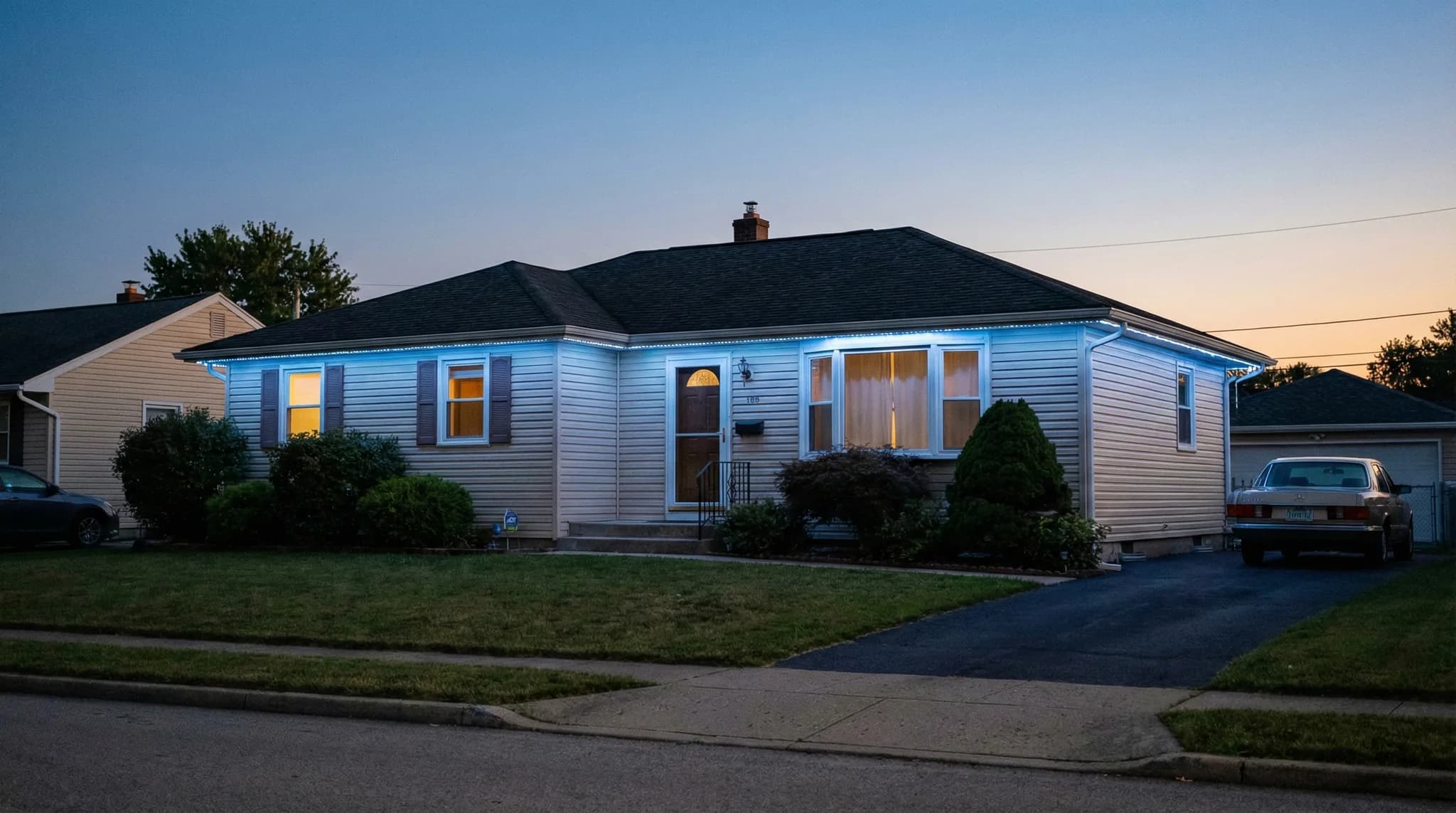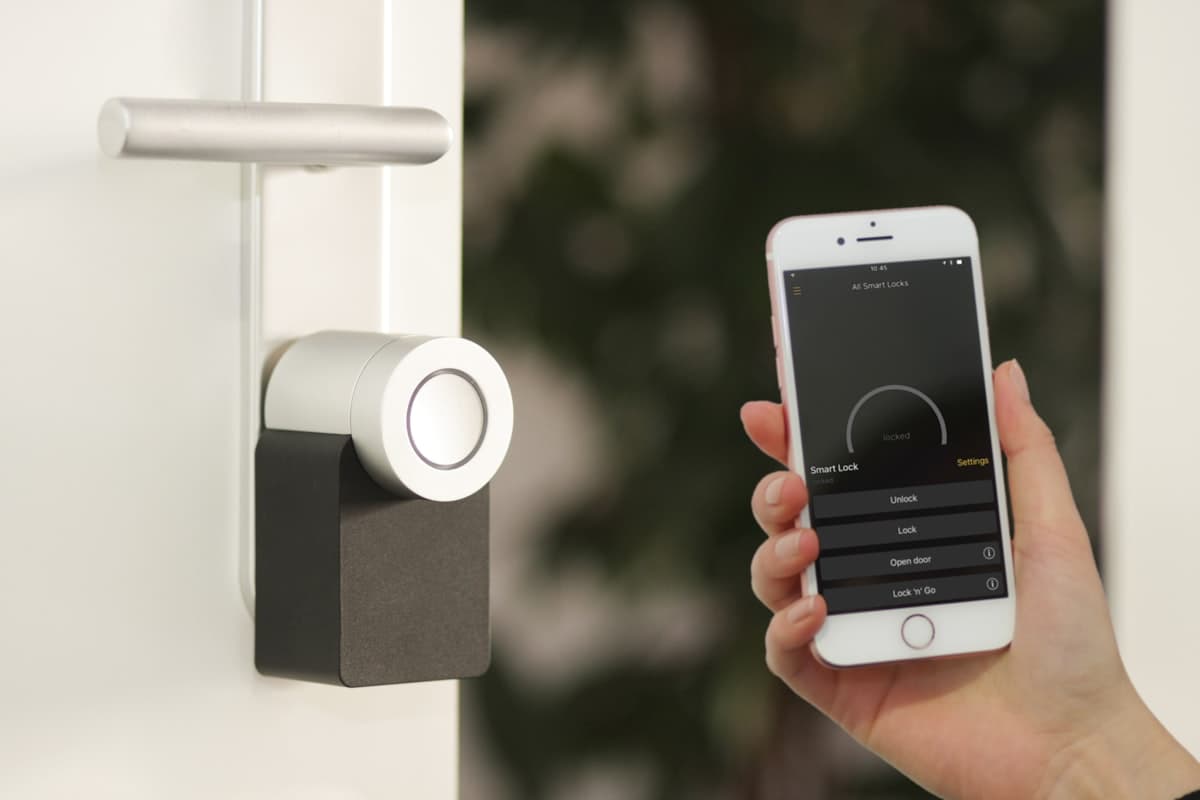
Permanent outdoor LED lights integrate with Alexa, Google Home, and other smart home platforms – giving Sacramento homeowners voice control over their exterior lighting alongside thermostats, locks, and cameras.
Permanent outdoor lights connect to Alexa, Google Home, and Apple HomeKit – turning your exterior lighting into another node in your smart home ecosystem. Sacramento homeowners with existing voice assistants and smart home routines can control roofline lights, patio zones, and holiday color scenes without opening a separate app.
About 69.8 million U.S. households now use smart home devices (Statista, 2025), and smart lighting ranks as the most popular category at 38% adoption among smart home owners (SQ Magazine, 2025). Outdoor lighting is catching up fast – the outdoor smart lighting segment is growing at a 20.6% CAGR through 2034 (GM Insights). For Sacramento homeowners who already talk to Alexa or Google every day, adding permanent outdoor lights to that ecosystem is a natural next step.
This guide covers which permanent lighting brands support which voice platforms, how to set up automation routines, what works well, and what the current limitations are. For a broader overview of app-based controls, see our smart permanent outdoor lights guide.
TL;DR: Most professional permanent outdoor lighting systems integrate with Alexa and Google Home for voice on/off, brightness, and basic color commands. The manufacturer's own app remains the best way to access full features like zone control, scheduling, and 16M+ color scenes. Trimlight and JellyFish offer the deepest voice assistant integration among major brands. The Matter protocol is expanding compatibility in 2026, but outdoor-specific support is still maturing.
How Permanent Outdoor Lights Connect to Your Smart Home
Permanent outdoor lighting systems use an indoor controller (typically installed in your garage) that connects to your home Wi-Fi network. That Wi-Fi connection is the bridge between the lights and your smart home ecosystem.
The architecture works in three layers:
- LED track and nodes – the physical lights mounted along your roofline, patio, or pergola. These receive commands via low-voltage wiring from the controller.
- Controller – the indoor hub that translates app and voice commands into light signals. It connects to your Wi-Fi router like any other smart device. Most controllers sit within 30 feet of the router for reliable connectivity.
- Smart home integration layer – the connection between the controller's cloud service and platforms like Amazon Alexa, Google Home, or Apple HomeKit. This is where voice commands get routed.
Because the controller lives indoors, Wi-Fi reliability is rarely an issue. Sacramento homeowners with mesh Wi-Fi systems (common in 2,000+ sq ft homes in Roseville, Rocklin, and Folsom) report strong, consistent connectivity.
How the Integration Stack Works
Which Permanent Light Brands Work with Alexa and Google Home
Not every permanent outdoor lighting brand offers the same level of smart home integration. Here is the current landscape as of early 2026, based on manufacturer documentation and verified compatibility.
| Brand | Alexa | Google Home | Apple HomeKit | Voice Features |
|---|---|---|---|---|
| Trimlight | Yes | Yes | No | On/off, brightness, basic color |
| JellyFish | Yes | Yes | No | On/off, brightness, scenes, Control4 |
| Gemstone | Limited | Limited | No | Basic on/off via app bridge |
| EverLights | Yes | Yes | No | On/off, brightness |
| Oelo | No | No | No | App-only control |
Integration depth varies by firmware version. Verify current compatibility with your installer before purchase. Data from manufacturer documentation and verified user reports, early 2026.
JellyFish and Trimlight currently offer the most developed voice assistant integrations. JellyFish also supports Control4, which matters for Sacramento homeowners with professionally installed whole-home automation systems. For a full brand comparison on durability, IP ratings, and pricing, see our best permanent outdoor lights for Sacramento guide.
Pro Tip
Ask your installer which firmware version ships with your system and whether voice assistant features require a specific update. Some brands ship controllers with voice integration disabled by default – it needs to be activated during setup. EXT Lighting configures all smart home connections during the installation appointment so your system is ready to go on day one.
What You Can (and Cannot) Do with Voice Control
Voice control through Alexa or Google Home is convenient but not a full replacement for the manufacturer's app. Understanding the boundary helps set realistic expectations.
What Voice Commands Handle Well
- “Alexa, turn on the outdoor lights.” – Basic on/off is the most reliable voice command across all integrated brands.
- “Hey Google, set outdoor lights to 50%.” – Brightness control works consistently on Trimlight and JellyFish systems.
- “Alexa, set outdoor lights to warm white.” – Basic color commands (red, blue, green, warm white) work on most integrated systems.
- “Hey Google, turn off front lights.” – If your installer names each zone during setup, you can target specific zones by voice.
What Still Requires the App
- Complex color scenes – Custom multi-color patterns (alternating red and green for Christmas, rainbow chases, gradient fades) are too complex for a single voice command.
- Music sync mode – Pulsing lights to a beat requires the manufacturer app's audio processing.
- Calendar scheduling – Setting Halloween colors to start October 1st and switch to Thanksgiving on November 15th is a scheduling feature built into the dedicated app.
- Per-zone color customization – Running different colors on different zones simultaneously requires the app's zone manager, not a voice command.
- Preset pattern selection – Trimlight offers 180+ preset patterns. Browsing and selecting specific patterns is a visual task that voice cannot replicate.
Voice Control vs. App Control: Feature Access
The takeaway: voice control is best for everyday convenience commands. The app handles everything creative and scheduled. Most Sacramento homeowners use voice for 80% of daily interactions (turning lights on at dusk, dimming before bed) and the app for the other 20% (holiday setup, party scenes, zone adjustments).
Setting Up Alexa Routines for Permanent Outdoor Lights
Alexa Routines let you automate your permanent outdoor lights based on time, sunset, voice triggers, or other smart home events. Routines run automatically once configured – no daily input required.
Here are the most useful routines Sacramento homeowners set up:
Sunset Auto-On Routine
- Open the Alexa app and go to Routines.
- Tap + to create a new routine.
- Set the trigger to Schedule > Sunset (Alexa uses your zip code for accurate timing).
- Add the action: Smart Home > [Your Outdoor Lights] > On > 80% brightness.
- Save. Your lights turn on at sunset automatically every evening.
Sacramento sunset varies from 4:54 PM in December to 8:28 PM in June (NOAA). The sunset trigger adjusts automatically, so you never have to update the schedule seasonally.
Goodnight Dim Routine
Create a routine triggered by the voice command “Alexa, goodnight.” Include your outdoor lights dimmed to 10% for overnight security, your indoor lights off, and your thermostat set to sleep temperature. One command handles the entire house.
Away Mode Routine
When you leave for vacation, trigger a routine that cycles your outdoor lights on and off at varied times to simulate occupancy. This pairs well with outdoor lights for security – consistent, unpredictable lighting is one of the most effective visual deterrents for property crime.
Pro Tip
Name your lighting zones clearly during installation setup: “Front Lights,” “Patio Lights,” “Garage Lights.” Alexa and Google Home use these names for voice targeting. Vague names like “Zone 1” force you to memorize which zone is which. EXT Lighting configures zone names during installation based on your preferences.
Google Home Routines for Permanent Outdoor Lights
Google Home offers similar automation through its Routines feature, with one advantage: natural language processing. Google tends to interpret varied phrasing better than Alexa, so “dim the outdoor lights” and “set outdoor lights to low” both work without exact keyword matching.
Key Google Home automations for permanent lights:
- Sunrise/sunset triggers: Google Home uses your device location for accurate sunrise and sunset timing in Sacramento.
- Household routines: “Hey Google, I'm home” can trigger outdoor lights to full brightness, unlock the front door, and adjust the thermostat simultaneously.
- Room-based groups: Assign your outdoor lighting zones to a “Backyard” or “Front Yard” room. Control all lights in a room with one command: “Hey Google, turn off the backyard.”
- Scheduled routines: Set recurring on/off schedules for specific days. Useful for homeowners who want brighter weekend entertaining lighting versus dimmer weeknight settings.
Combining Permanent Lights with Other Smart Home Devices
The real value of home automation integration appears when permanent outdoor lights work alongside other smart devices in coordinated routines. Sacramento homeowners are building automation stacks that combine lighting with security, climate, and convenience.
Security Stack: Lights + Cameras + Locks
Pair your permanent outdoor lights with a Ring doorbell or Nest camera. When motion is detected after 10 PM, an Alexa Routine can flash your outdoor lights to full brightness for 60 seconds. This is far more effective than a single porch light – your entire roofline illuminates simultaneously.
Smart locks add another layer. An “Alexa, I'm leaving” routine can lock the front door, arm the security system, and dim outdoor lights to security mode in one voice command.
Climate + Lighting: Evening Comfort
Sacramento's summer evenings are prime outdoor time. A “Patio Night” routine can turn on your patio and pergola lights at warm white, start the outdoor fan (if smart-connected), and adjust the indoor thermostat up a few degrees since you are moving outside. One command replaces four manual adjustments.
Entertainment Integration
Sonos and other multi-room audio systems pair with outdoor lighting for coordinated backyard entertainment. While music sync requires the manufacturer's app, you can use voice to start music on outdoor speakers and turn on your patio lights simultaneously through a single routine.
Most Popular Smart Home Pairings with Permanent Outdoor Lights
Want Your Outdoor Lights Connected to Alexa or Google Home?
EXT Lighting configures smart home integration during every installation. Voice control, zone naming, and automation routines – all set up before we leave.
Get a Free Smart Lighting QuoteThe Matter Protocol: What It Means for Outdoor Lights in 2026
Matter is the smart home interoperability standard backed by Amazon, Apple, Google, and Samsung. It lets devices from different manufacturers work together without brand-specific bridges or skills. Govee's consumer-grade permanent outdoor lights already ship with Matter support as of late 2025.
For professional permanent lighting systems (Trimlight, JellyFish, EverLights), Matter adoption is still developing. Here is the current state:
- Matter 1.4 (current): Supports lighting devices including on/off, dimming, and color control. Theoretically compatible with permanent light controllers, but no major professional brand has shipped native Matter support yet.
- Outdoor range challenge: Matter relies on Thread and Wi-Fi for communication. Thread signal strength drops through exterior walls, which can limit reliability for outdoor devices. Matter 1.5 introduced early work on long-range solutions, but outdoor-specific features are still maturing.
- What this means today: Professional permanent lights connect through each brand's existing cloud integration with Alexa and Google Home. This works reliably. Matter will eventually simplify the setup process, but it is not a reason to delay installation.
Smart-equipped homes sell 8.5 days faster on average than traditional homes, and 35% of real estate agents report that smart features increase a property's value by $5,000 to $10,000 (SQ Magazine / NAR, 2025). Whether the connection runs through Matter or brand-specific integration, the home value and curb appeal benefits are the same.
Common Smart Home Integration Issues (and How to Avoid Them)
Most integration problems trace back to setup, not hardware. Here are the issues EXT Lighting sees most often – and the fixes.
1. Controller Not Discoverable by Alexa or Google
Cause: The controller and voice assistant are on different Wi-Fi networks or frequency bands (2.4 GHz vs. 5 GHz). Most lighting controllers require 2.4 GHz.
Fix: Ensure the controller connects to the same 2.4 GHz network as your Echo or Google Nest device. Sacramento homeowners with dual-band routers may need to manually assign the controller to the 2.4 GHz band.
2. Voice Commands Work Intermittently
Cause: Weak Wi-Fi signal at the controller location (garage). The controller needs consistent connectivity for cloud-based voice commands.
Fix: A mesh Wi-Fi node in or near the garage resolves this for most homes. Roseville, Rocklin, and Folsom homes with garages 40+ feet from the router benefit most from mesh expansion.
3. Lights Respond to Voice but Not the App (or Vice Versa)
Cause: The manufacturer's cloud service and the voice assistant cloud are separate systems. An outage or authentication expiry on one side doesn't affect the other.
Fix: Re-link the manufacturer's skill in the Alexa or Google Home app. This refreshes the authentication token between the two cloud services.
4. Zone Names Not Recognized by Voice
Cause: Zone names in the manufacturer app don't match the device names in Alexa or Google Home. Each platform maintains its own device naming.
Fix: After linking, rename devices in the voice assistant app to match your preferred naming convention. Keep names simple and distinct: “Front Lights” not “Front Roofline Zone 1 East Side.”
Quick Troubleshooting: Voice Control Not Working
Smart Home Integration and Home Value in Sacramento
Smart home features directly impact home value and sale speed in the Sacramento market. The data supports this across multiple studies.
- Smart-equipped homes sell 8.5 days faster on average than comparable non-smart homes (SQ Magazine / real estate industry data, 2025).
- 35% of real estate agents report smart features add $5,000 to $10,000 to a home's perceived value (NAR Technology Survey, 2025).
- Homes with strong curb appeal – which includes exterior lighting – sell for 7% more according to UT Arlington research (2025).
- The U.S. smart home market is projected to reach $54.53 billion in 2026 (Fortune Business Insights), reflecting mainstream adoption that buyers increasingly expect.
Permanent outdoor lights that integrate with Alexa or Google Home check two boxes simultaneously: curb appeal and smart home readiness. For Sacramento sellers, this combination is particularly effective – see our outdoor lights and selling your home faster guide for the full real estate data.
Installation: Getting Smart Home Integration Right from Day One
Smart home integration is easiest to configure during the initial installation. Retrofitting voice control onto an existing system is possible but adds unnecessary troubleshooting. Here is what to prepare before your installation appointment.
- Know your ecosystem. Tell your installer whether you use Alexa, Google Home, Apple HomeKit, or Control4. This affects which brands and features are prioritized during setup.
- Check your Wi-Fi coverage. Walk to your garage with your phone. If Wi-Fi signal is weak there, add a mesh node before installation day. The controller needs reliable connectivity.
- Name your zones in advance. Decide what you want to call each lighting zone before the installer arrives. “Front Lights,” “Patio Lights,” “Back Roof” – whatever makes sense to you and your household.
- Have your voice assistant account credentials ready. Linking the lighting skill to Alexa or Google Home requires your account login. Have it accessible on installation day.
- Plan your first routine. A sunset auto-on routine takes 2 minutes to configure during installation. Let your installer walk you through it while the system is fresh.
Professional installers like EXT Lighting handle the entire smart home configuration during the appointment. For a full rundown of the installation process, see our step-by-step installation guide.
Pro Tip
If you are building a new home or doing a major renovation in Sacramento, wire Cat6 ethernet to the garage during construction. A hardwired controller connection is more reliable than Wi-Fi and eliminates the most common integration issue (weak garage Wi-Fi signal). The cost is minimal during new construction and significant as a retrofit.
Does Smart Home Integration Affect Energy Costs?
Smart home integration can actually reduce your lighting energy costs. Automation prevents the most common source of wasted electricity: forgetting to turn the lights off.
- Automated schedules ensure lights run only during intended hours. No more leaving lights on all night accidentally.
- Sunset/sunrise triggers adjust timing automatically across seasons. Sacramento's sunset shifts by nearly 3.5 hours between winter and summer solstice – a fixed timer cannot track this.
- Dimming schedules reduce wattage during low-traffic hours. Running at 10% brightness from midnight to 6 AM uses a fraction of full-power electricity.
- Away mode uses intermittent on/off cycling instead of continuous operation, cutting energy use while maintaining the security appearance.
At Sacramento SMUD rates, a whole-home permanent LED system already costs just $2 to $8 per month. Smart automation shaves that down further. For a full energy cost breakdown, see our permanent lights electricity cost guide.
Frequently Asked Questions
Do permanent outdoor lights work with Alexa?
Yes. Trimlight, JellyFish, and EverLights all offer Alexa integration for voice on/off, brightness control, and basic color commands. The Alexa skill links to your lighting controller through the manufacturer's cloud service. Setup takes 5 to 10 minutes during installation.
Can I control permanent outdoor lights with Google Home?
Yes. The same brands that support Alexa also support Google Home. Google's natural language processing handles varied phrasing well, so commands like “dim the outdoor lights” and “turn down the front lights” both work without exact wording.
Do permanent outdoor lights work with Apple HomeKit?
Native Apple HomeKit support is limited among professional permanent lighting brands as of early 2026. Consumer-grade products like Govee offer HomeKit via Matter, but professional systems (Trimlight, JellyFish, Gemstone, EverLights) rely on Alexa and Google integrations. This may change as Matter adoption expands.
Can I set permanent outdoor lights to turn on at sunset automatically?
Yes, through both the manufacturer's app and voice assistant routines. Alexa and Google Home both support sunset-based triggers that adjust automatically with the seasons. In Sacramento, sunset ranges from 4:54 PM in December to 8:28 PM in June, and the automation tracks this shift without manual updates.
Will smart home features add to my permanent outdoor lighting cost?
Smart connectivity is built into the controller on all current-generation professional systems. There is no separate fee for voice assistant compatibility. The Wi-Fi controller that manages app-based control is the same hardware that enables Alexa and Google integration. The only potential added cost is a mesh Wi-Fi node if your garage has weak signal coverage.
What happens to my permanent lights if the internet goes out?
Most systems continue running their last active schedule or preset during an internet outage. Voice commands and remote app access stop working until connectivity is restored, but the lights themselves do not go dark. Local control through the manufacturer's app on the same Wi-Fi network may still function depending on the brand.
Get Permanent Outdoor Lights with Smart Home Integration
EXT Lighting installs permanent LED systems across Sacramento, Roseville, Rocklin, and Folsom with full Alexa and Google Home setup included. Every installation includes a free property assessment, custom zone planning, and smart home configuration.
Schedule Your Free Smart Lighting Consultation