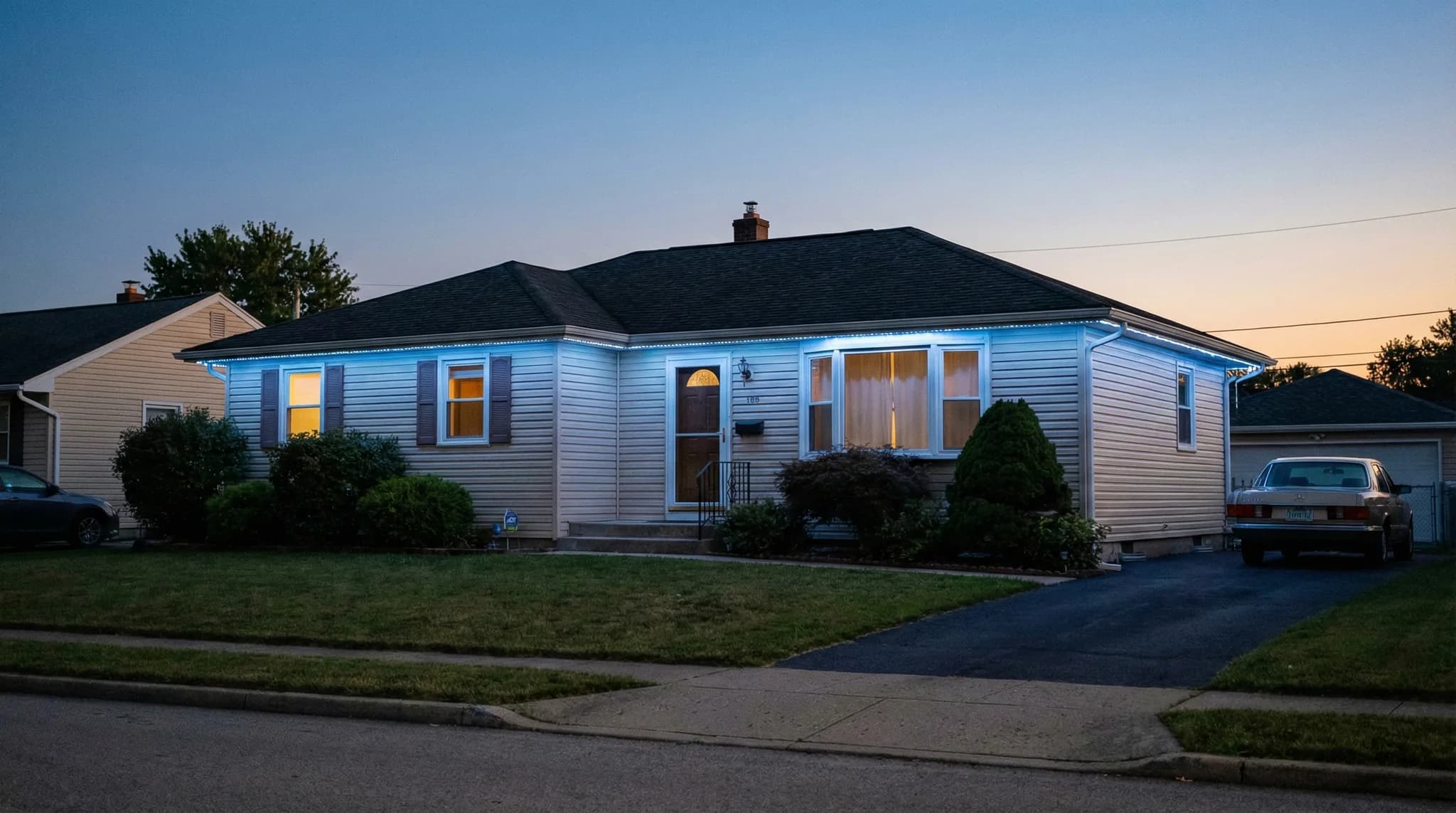
Most permanent outdoor light issues trace back to the indoor controller, Wi-Fi connection, or a single wiring point – not the LED track itself. Sacramento homeowners can diagnose many problems in under 10 minutes.
Permanent outdoor lights rarely fail outright, but when something looks off – a dark section, flickering LEDs, an app that won't connect – you want answers fast. Sacramento homeowners running app-controlled LED systems on rooflines, patios, and pergolas encounter a predictable set of issues, and most have straightforward fixes that don't require a service call.
Professional-grade LED systems are rated for 50,000+ hours of operation (U.S. Department of Energy, 2024), and IP67-rated housings handle Sacramento's 100°F+ summers and winter rain without issue. When problems do appear, they're almost always electrical connections, Wi-Fi disruptions, or app/firmware glitches – not hardware failure.
This guide covers the 8 most common permanent outdoor light problems, step-by-step troubleshooting for each, and clear guidance on when to call your installer versus handling it yourself. For routine upkeep that prevents most of these issues, see our permanent outdoor lights maintenance guide.
TL;DR: Most permanent outdoor light problems fall into three categories: connection issues (Wi-Fi or app), electrical issues (dark sections or flickering), and control issues (scheduling or color glitches). About 70% of reported issues resolve with a controller power cycle, app update, or router restart – no service call needed. The remaining 30% involve wiring connections or component replacement, which should be handled by your installer under warranty.
Before You Troubleshoot: The 60-Second Check
Before diving into specific problems, run through this quick checklist. It resolves roughly half of all reported issues on the spot.
- Check your Wi-Fi – Open any other app on your phone that requires internet. If your internet is down, that's why the lighting app isn't responding.
- Power cycle the controller – Unplug the controller in your garage for 30 seconds, then plug it back in. Wait 60 seconds for it to reconnect to Wi-Fi.
- Check the circuit breaker – Verify the breaker assigned to your lighting system hasn't tripped. Sacramento's summer heat can cause minor electrical fluctuations, especially during SMUD peak demand periods.
- Update the app – Open your app store and check for a pending update to your lighting manufacturer's app. Outdated apps are a top cause of connectivity errors.
If those four steps don't resolve the issue, continue to the specific problem sections below.
Quick Diagnostic Flowchart
Problem 1: Entire System Is Dark (No Lights at All)
When every light on every zone goes dark at once, the issue is almost always power or controller-related – not the LED track. The track itself is passive; it only does what the controller tells it to.
Most Likely Causes
- Tripped circuit breaker – Sacramento's summer heat puts extra load on home electrical systems. SMUD reports peak demand regularly exceeds 5,000 MW on triple-digit days. A breaker trip is the simplest explanation and the easiest fix.
- Controller power loss – The controller plugs into a standard outlet in your garage. If it's on a GFCI outlet, moisture or a minor surge can trip the outlet without affecting the main breaker.
- Controller malfunction – Rare with current-generation units, but possible after a firmware update or power surge.
Step-by-Step Fix
- Check the breaker panel. Reset the breaker if tripped.
- Check the GFCI outlet in your garage. Press the reset button.
- Verify the controller has power (status LED should be lit).
- Power cycle the controller: unplug 30 seconds, reconnect.
- If the controller status LED does not come on after power cycle, contact your installer – the controller likely needs replacement under warranty.
For more on how controllers work and connect to your system, see our smart permanent outdoor lights guide.
Problem 2: One Section or Zone Is Dark
When most of the system works but one section stays dark, you're looking at either a zone configuration issue or a localized wiring problem.
App-Side Check First
Open your manufacturer's app and verify that the dark zone is actually turned on. It's surprisingly common for a zone to get toggled off accidentally, especially after a schedule change or app update. Check the brightness slider too – a zone set to 1% brightness looks dark from the ground.
If the Zone Shows Active in the App
- Loose wire connection – The junction where one track section connects to the next is the most common failure point. Temperature cycling between Sacramento's 100°F+ summers and 35°F winter mornings causes thermal expansion and contraction in wiring connections over time.
- Water intrusion at a junction – While the LED track is IP67-rated, the wire-to-wire connections between track sections can be vulnerable if silicone sealant degrades. Sacramento's UV exposure accelerates sealant aging.
- Single failed driver – Each zone typically runs through a dedicated driver. A driver failure kills that zone without affecting others.
These are warranty-covered repairs. Contact your installer. EXT Lighting typically responds to zone-down calls within 48 hours during normal demand.
Pro Tip
Take a photo or short video of the problem before contacting your installer. Show which section is dark, what the app displays for that zone, and the controller status lights. This lets the technician arrive with the right parts and often cuts the repair visit to under 30 minutes.
Problem 3: Lights Flickering or Flashing Randomly
Flickering is different from intentional flashing effects. If your lights pulse or stutter without a pattern, the cause is almost always electrical – not a software setting.
Common Causes in Sacramento
- Voltage fluctuation – Low-voltage LED systems are sensitive to input voltage stability. During Sacramento's summer peak demand (June through September), minor voltage dips from the grid can cause visible flicker on LED systems that lack voltage regulation.
- Loose connection at the controller – The wire terminals inside the controller can loosen from vibration (garage door opener, for example). A slightly loose terminal creates intermittent contact.
- Overloaded transformer – If additional zones were added after the original installation without upgrading the transformer, the total LED load may exceed the transformer's capacity.
What to Do
- Note when the flickering occurs. Is it constant, or only during evening peak hours?
- Check if all zones flicker or just one. All zones = controller or power supply. One zone = wiring.
- If flickering correlates with Sacramento's evening peak (5 PM – 8 PM in summer), mention this to your installer. A surge protector on the controller outlet is a common fix.
- Contact your installer for any persistent flickering. Wiring-related flicker is a warranty item.
How Often Each Problem Occurs
Based on manufacturer support data and installer service records, here is how permanent outdoor light issues break down by type. Connection and app problems dominate, while actual hardware failures are uncommon.
Problem 4: App Won't Connect to Controller
This is the single most reported issue – and it's almost never a hardware problem. The lighting controller connects to your home Wi-Fi, and the app connects to the controller through the manufacturer's cloud service. Any disruption in that chain breaks the connection.
Troubleshooting Steps (In Order)
- Close and reopen the app – Force-close the app completely (swipe it away from your recent apps), then reopen. This clears cached connection state.
- Verify you're on Wi-Fi, not cellular – Some manufacturer apps require your phone to be on the same Wi-Fi network as the controller for local commands.
- Check your router – Restart your router if other smart home devices are also unresponsive. The controller connects via 2.4 GHz Wi-Fi, not 5 GHz. If your router recently updated firmware and changed band settings, the controller may have lost its connection.
- Power cycle the controller – Unplug for 30 seconds, replug, and wait 60–90 seconds for the Wi-Fi reconnection.
- Check for app updates – Manufacturer app updates occasionally change the connection protocol. An outdated app version can lose the ability to communicate with an updated controller.
- Factory reset the controller (last resort) – For JellyFish controllers, hold the MENU button for 10 seconds. For Trimlight, hold the reset button until the LED blinks. This restores the controller to factory Wi-Fi settings and requires re-pairing with your network.
For a deeper look at how the controller-to-app connection works across different brands, read our permanent outdoor lights and home automation guide.
Problem 5: Lights Turn On or Off at Wrong Times
Scheduling glitches typically stem from the app, not the hardware. The controller runs whatever schedule it last received, so a misconfigured schedule plays out faithfully even when it's wrong.
Common Causes
- Time zone misconfiguration – If the app or controller is set to the wrong time zone, schedules execute at the wrong local time. Sacramento is in the Pacific time zone (UTC-8 / UTC-7 during DST).
- DST transition – Some older firmware versions handle Daylight Saving Time transitions poorly. Lights may shift by one hour after the spring-forward or fall-back switch.
- Overlapping schedules – Multiple schedules that target the same zone can conflict. If a “Holiday Red” schedule overlaps with a “Warm White Nightly” schedule, the result is unpredictable.
- Sunset/sunrise drift – Schedules set to “sunset” or “sunrise” use geolocation data. If the controller's location is set incorrectly, sunset-based schedules will be off. Sacramento's sunset ranges from 4:54 PM in December to 8:28 PM in June.
How to Fix
- Open the app and review all active schedules. Delete any duplicates or outdated entries.
- Verify the controller's time zone is set to Pacific.
- Check that the location/GPS setting shows Sacramento, not a default city.
- After a DST transition, manually test the schedule to confirm correct timing.
Problem 6: Colors Look Wrong or Washed Out
When your lights display the wrong color or colors look faded, the cause is typically configuration – not LED degradation. LEDs maintain color accuracy for the vast majority of their rated lifespan.
- RGB vs. RGBW confusion – Some systems use RGB LEDs (red, green, blue) while others use RGBW (adding a dedicated white channel). A “warm white” scene on an RGB system mixes red, green, and blue to approximate white, while RGBW systems use the dedicated white LED for a cleaner result. If your whites look pinkish or bluish, check whether your system is RGB or RGBW and adjust the white scene accordingly.
- Dirty lens cover – Sacramento's spring pollen season (March through May) and summer dust deposit a film on the polycarbonate lens that mutes brightness and shifts color perception. A garden hose rinse resolves this instantly.
- App color calibration – The color you select on your phone screen may not match the LED output exactly. Professional-grade apps include manual calibration tools to fine-tune the output.
For a full guide to color options and seasonal themes, see our best permanent outdoor lighting colors article.
Pro Tip
After Sacramento's pollen season wraps up in late May, clean your LED tracks with a gentle garden hose spray. This single step restores full brightness and color accuracy for the entire summer and fall. Never use a pressure washer – it can breach IP67 seals.
When Sacramento Homeowners Report Problems
Permanent outdoor light issues cluster around specific times of year. Understanding the seasonal pattern helps you anticipate and prevent problems before they start.
Two peaks stand out: July (heat-related electrical stress, Wi-Fi issues from garage temperatures) and December (holiday mode changes, scheduling confusion, homeowners using color features for the first time). Spring has the lowest issue volume because Sacramento's mild weather minimizes environmental stress on the system.
Problem 7: Voice Assistant Commands Stop Working
If Alexa or Google Home suddenly can't control your permanent lights, the issue is almost always in the integration layer between the voice platform and the manufacturer's cloud service.
Fix It in 3 Steps
- Check the manufacturer's app first – If the app still controls the lights, the problem is limited to the voice integration. If the app also fails, start with controller troubleshooting (Problem 4 above).
- Unlink and relink the skill/service – In the Alexa app, go to Skills & Games, find your lighting skill, disable it, then re-enable it. In Google Home, go to Works with Google, find the service, unlink, then relink. This forces a fresh authentication token.
- Rediscover devices – After relinking, say “Alexa, discover devices” or use the Google Home app to scan for new devices. The lights should reappear within 30 seconds.
This process takes 2–3 minutes and resolves voice control issues roughly 90% of the time. For a full walkthrough of voice assistant integration, see our home automation and voice control guide.
Problem 8: System Works but Shows “Offline” in the App
This is the most confusing scenario: the lights run their last schedule perfectly, but the app shows the controller as “offline.” The disconnect happens because the controller runs schedules locally, but the app needs a cloud connection to display status.
What's Happening
The controller stored its last schedule in local memory and continues executing it even without internet. But the app communicates through the manufacturer's cloud server. If your home internet goes down, or if the controller loses its Wi-Fi connection, the app can't reach the controller – even though the lights keep running.
Resolution
- Verify your home internet is working (check other devices).
- Check if the controller's Wi-Fi status LED shows connected (solid) or disconnected (blinking).
- If the controller's Wi-Fi LED blinks, power cycle the controller.
- If the controller reconnects to Wi-Fi but the app still shows offline, the manufacturer's cloud service may be experiencing an outage. Check their status page or social media.
- If the issue persists after 24 hours, a factory reset of the controller's Wi-Fi settings may be needed.
When to DIY vs. When to Call Your Installer
Knowing the boundary between homeowner-safe troubleshooting and warranty-covered professional repair saves time and protects your system.
The general rule: anything you can do from the ground or through the app is safe to handle yourself. Anything that requires opening the controller, climbing a ladder, or touching wiring should go to your installer. For Sacramento homeowners with systems installed by a licensed professional, warranty-covered service calls carry no charge for parts or labor.
Preventing Problems: A Sacramento-Specific Checklist
Most permanent outdoor light problems are preventable with minimal effort. Here is a seasonal checklist built for Sacramento's climate patterns.
Spring (March – May)
- Hose down LED tracks after pollen season ends (late May)
- Verify app is updated to latest version
- Test all zones – catch any winter damage early
- Check controller firmware for available updates
Summer (June – August)
- Ensure garage stays under 120°F (park vehicles to shade the space, or add ventilation)
- Add a surge protector to the controller outlet if not already installed
- Monitor for flicker during SMUD peak demand periods
Fall (September – November)
- Test holiday color scenes before Thanksgiving
- Verify scheduling works correctly after the DST fall-back time change
- Clean LED tracks if tree debris has accumulated
Winter (December – February)
- Verify all holiday schedules are set and tested
- Check that rain hasn't displaced any junction sealant (visual inspection from ground)
- After the holiday season, remove any custom schedules you no longer need to avoid future conflicts
For the full maintenance guide with cleaning instructions and what to avoid, read our permanent outdoor lights maintenance guide for Sacramento.
What Sacramento's Climate Does to Your System
Sacramento sits in USDA Hardiness Zone 9b, with summer highs regularly exceeding 100°F and winter lows dipping into the mid-30s. This temperature range – a swing of 65+ degrees across the year – creates specific stress points for outdoor electrical systems.
- Thermal cycling – Daily temperature swings of 30–40°F (common in Sacramento's spring and fall) cause metal and plastic components to expand and contract. Over years, this can loosen screw-terminal connections inside the controller and weaken wire-to-wire junctions along the track.
- UV exposure – Sacramento averages 269 sunny days per year (Weather Spark). UV degrades polycarbonate lens covers and silicone sealant faster than in cloudier climates. Professional-grade systems use UV-stabilized materials that resist this, but cheaper systems may yellow or crack within 5–7 years.
- Pollen and dust – Sacramento Valley is one of the highest-pollen regions in California. Oak, grass, and weed pollen coat exterior surfaces heavily from March through May. Dust from agricultural activity adds a secondary layer in summer. Both reduce light output and can clog drainage channels in the mounting track.
These factors explain why professional-grade systems rated IP67 or higher with UV-stabilized housings are worth the premium in Sacramento. For a comparison of how different brands handle these conditions, see our best permanent outdoor lights for Sacramento brand guide.
When to Call EXT Lighting
Most troubleshooting takes under 10 minutes with the steps above. But when the problem is beyond a power cycle or app fix – persistent flickering, a dead zone, or a non-responsive controller – EXT Lighting's service team handles warranty repairs across Sacramento, Roseville, Rocklin, and the surrounding area.
Every EXT Lighting installation includes a lifetime warranty covering parts and labor. There's no diagnostic fee, no trip charge, and no parts markup on warranty work. Contact us or request a quote for new installations, and reach out directly for service on existing systems.
Frequently Asked Questions
Why are my permanent outdoor lights not turning on?
Start with the basics: check the circuit breaker, GFCI outlet, and controller power. Power cycle the controller by unplugging for 30 seconds. If the controller status LED does not illuminate after reconnecting, the controller may need replacement under warranty. About 80% of “lights not turning on” calls resolve with a breaker reset or controller power cycle.
How do I reset my permanent outdoor light controller?
The reset process varies by brand. For JellyFish, hold the MENU button for 10 seconds until the indicator flashes. For Trimlight, hold the reset button until the LED blinks rapidly. For EverLights and Gemstone, consult the app or the manual for model-specific instructions. A factory reset restores Wi-Fi settings and requires re-pairing with your network and app.
Can I fix permanent outdoor lights myself?
You can safely handle app-level troubleshooting, controller power cycling, breaker resets, Wi-Fi router restarts, and gentle cleaning with a garden hose. Any work involving wiring, climbing a ladder, or opening the controller should be left to your installer. DIY wiring repairs on a professional system can void the warranty and create safety hazards.
Why are some of my permanent outdoor lights a different color?
Color inconsistency usually indicates a dirty lens (clean with a garden hose), an RGB vs. RGBW calibration mismatch in the app, or a single LED node that has partially failed and is displaying incorrect color channels. A node replacement is a quick warranty repair that takes 15–30 minutes.
Do permanent outdoor lights work during a power outage?
No. Permanent outdoor lights require household power to operate. The controller and LED track both run on electricity from your home's electrical panel. When power is restored, the system resumes its last active schedule automatically without manual intervention.
How long do permanent outdoor LED lights last in Sacramento?
Professional-grade systems with IP67+ ratings and UV-stabilized housings deliver 15–25 years of performance in Sacramento's climate. LEDs are rated for 50,000+ hours and dim gradually rather than burning out suddenly. The controller typically lasts 10–15 years before requiring replacement, and this is covered under most lifetime warranties.